Zip 4 Me v0.6.0 beta
Zip 4 Me backs up, restores, and migrates WordPress sites of any size on any host without hitting PHP timeouts or upload limits. Backups are written in 1 MiB CRC32-verified blocks and restored using an atomic RENAME TABLE swap.
- Full site backup (wp-content + database) into a single CRC32-checksummed .zipme archive
- 20-second time-sliced job steps & file-based job state, never hits PHP execution timeouts
- Chunked browser upload bypasses low server upload_max_filesize limits
- Atomic database restore into temporary tables with full serialized URL/path replacement before RENAME TABLE swap
- S3-compatible (AWS S3, Cloudflare R2, Backblaze B2, Wasabi, DigitalOcean) & FTP/FTPS + Direct Site-to-Site Push
Screenshots
See Zip 4 Me in action
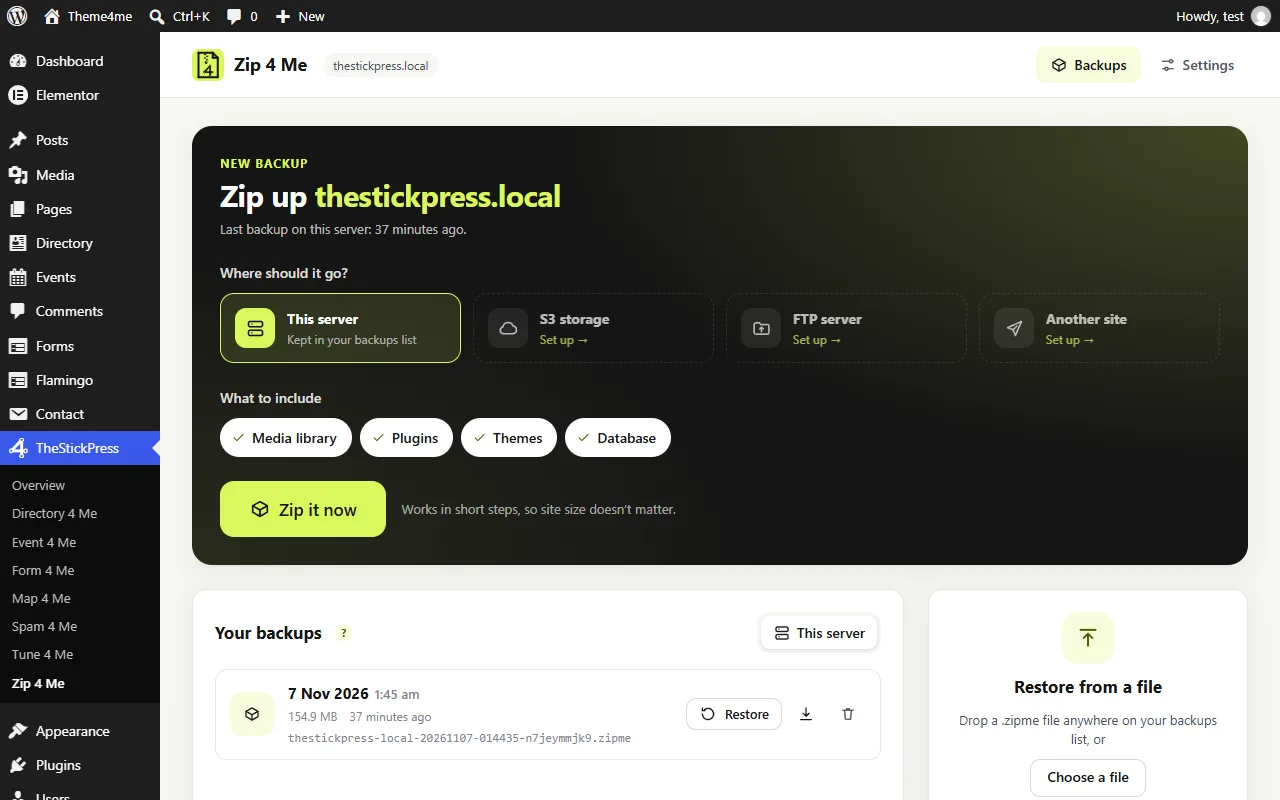
Back up to this server, S3, FTP or another site in one click.
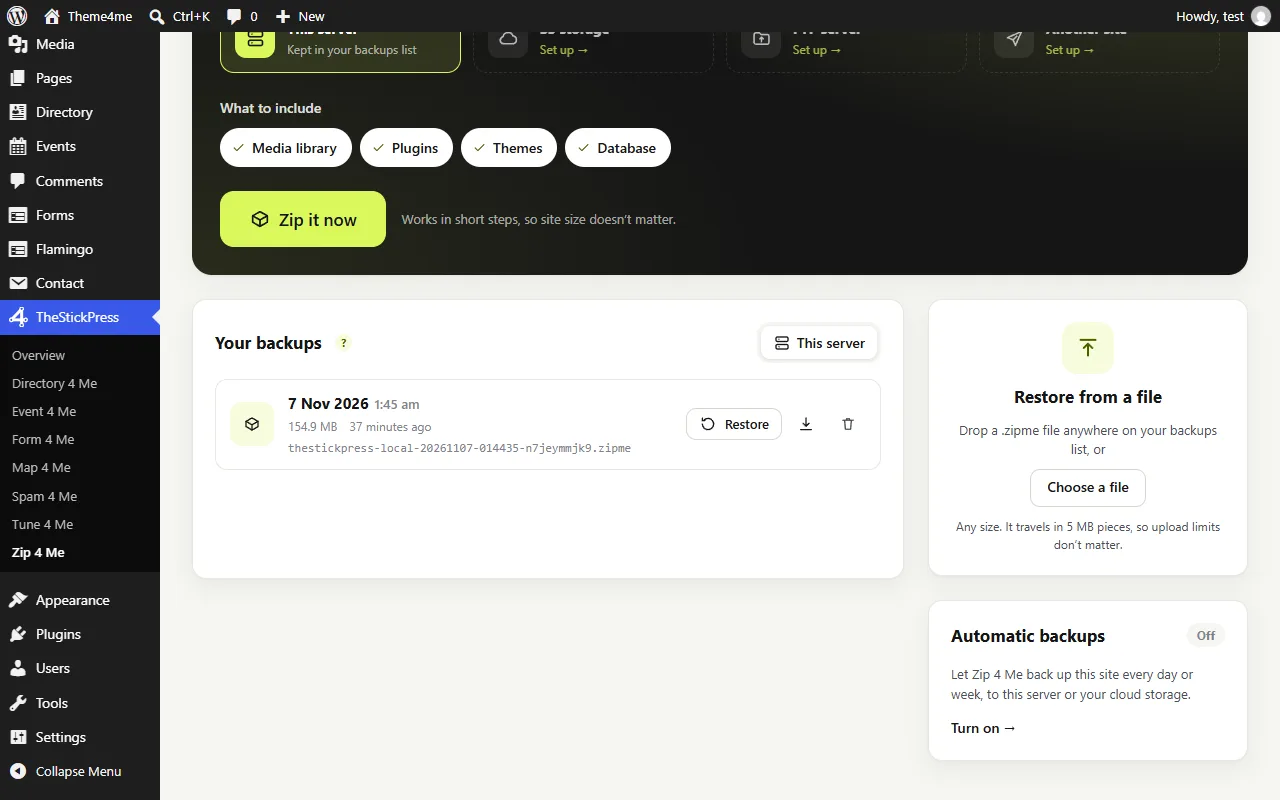
Your backups: restore, download or delete, and restore from a file of any size.
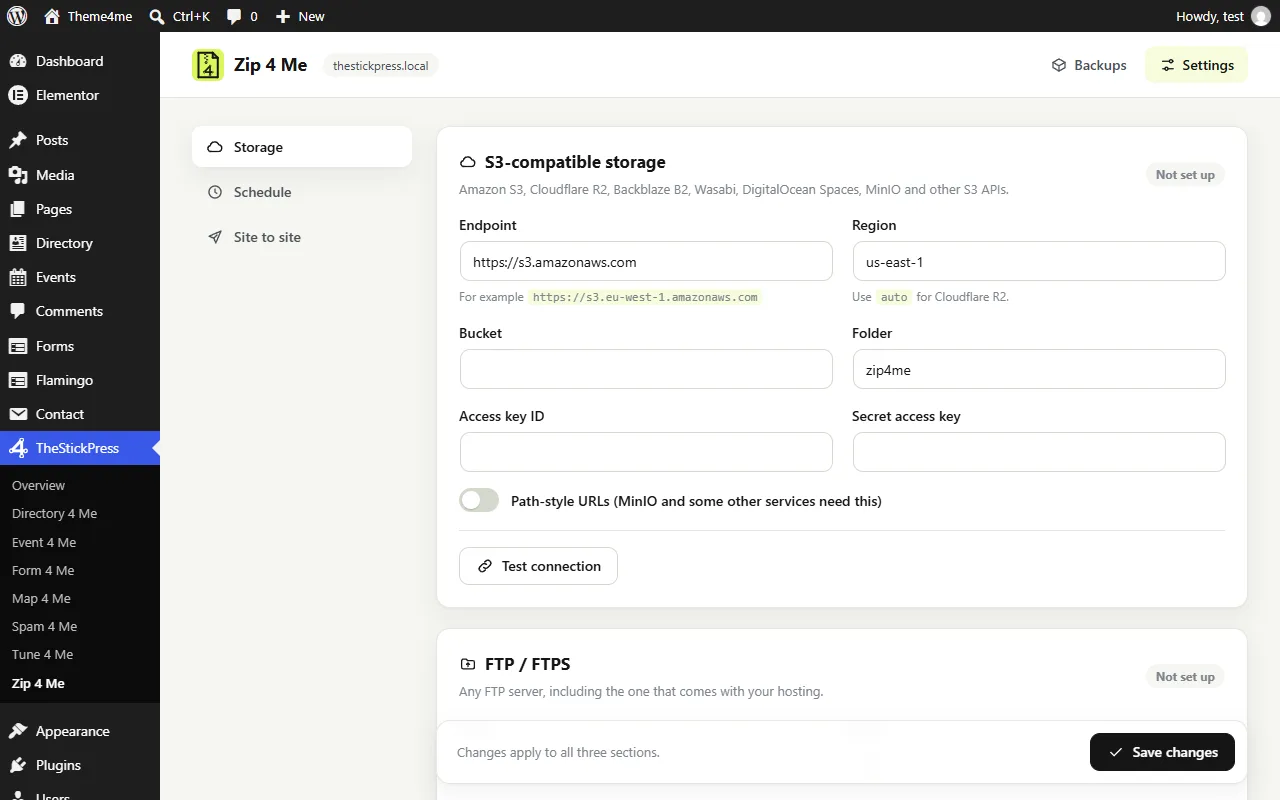
Settings: storage, schedule and how many backups to keep.
Features
Key Features of Zip 4 Me
Time-Sliced Engine for Any Host
Splits backup and restore operations into ~20-second slices stored in wp-content/zip4me/jobs so even multi-gigabyte sites succeed on shared hosting.
Zero-Downtime Atomic Restore
Extracts tables into temporary tables, rewrites serialized URLs and paths, and swaps all tables in a single RENAME TABLE statement.
Direct Site-to-Site Push
Paste a destination site's push key to stream and deploy a complete clone directly from staging to production.
S3-Compatible & FTP Cloud Offload
Send backups automatically to Amazon S3, Cloudflare R2, Backblaze B2, Wasabi, MinIO, or FTP/FTPS servers.
Scheduled Automated Backups
Configure recurring WP-Cron backups with automatic retention pruning and failure email alerts.
Unlimited Chunked Uploads
Upload huge backup files (such as Theme4meDoctorVersion140.zipme) from your browser in small chunks well below PHP's upload limit.
How to Install Zip 4 Me
- Click Download zip4me.zip (113.7 KB) above to save the release archive.
- In your WordPress admin dashboard, open Plugins > Add New > Upload Plugin.
- Select
zip4me.zip, click Install Now, and Activate. - Open TheStickPress > Zip 4 Me in the admin menu to configure settings.
Changelog
- 0.6.0: Rebranded as Zip 4 Me under the TheStickPress 4ME family with S3/FTP storage, scheduled backups, and direct site-to-site push.
Updates
Keep Zip 4 Me up to date
Update in four steps
- Download the latest ZIP from this page. The current version is 0.6.0.
- In WordPress open Plugins > Add New > Upload Plugin.
- Choose the ZIP and click Install Now.
- Choose "Replace current with uploaded". Your settings and content are kept.
What changed?
The changelog above lists every release. Back up before major updates, and test on a copy of your site if it is busy.
- Zip 4 Me makes a one click backup first
- Automatic updates are planned
Support
Request support for Zip 4 Me
Tell us what you need and we will reply as soon as possible.
Works well with
Pair it with
Tune 4 Me
Safe speed and security switches.
Spam 4 Me
Spam protection without CAPTCHAs.
Directory 4 Me
Listings, reviews and booking buttons.
FAQ
Frequently Asked Questions
How do I restore the Theme4me Doctor .zipme starter site?
Install and activate Zip 4 Me (zip4me.zip), go to TheStickPress > Zip 4 Me, upload Theme4meDoctorVersion140.zipme, and click Restore.
What happens if a restore fails halfway through?
Because Zip 4 Me loads the database into temporary tables first and only swaps them at the final step, any interrupted restore leaves your live site completely untouched.