Spam 4 Me v2.4.0
Spam 4 Me stops bots and human spammers in layers without forcing real visitors to solve puzzles. Every blocked submission is recorded in the Blocked Log with the exact rule that triggered, one-click IP blocking, and word allowlisting.
- Protects Form 4 Me, Contact Form 7, WPForms, Gravity Forms, Ninja Forms, and Fluent Forms
- Invisible bot trap, real-browser token check, minimum typing time, and CIDR IP rate limiting
- Multilingual banned word lists with whole-word matching ("sex" never blocks "Sussex") & leetspeak detection
- Script/alphabet blocking (Cyrillic, Chinese, Korean, etc.) + smart link blocking with portfolio field exceptions
- Locked autoreply subject to prevent backscatter spam + Blocked Log & live Message Tester
Screenshots
See Spam 4 Me in action
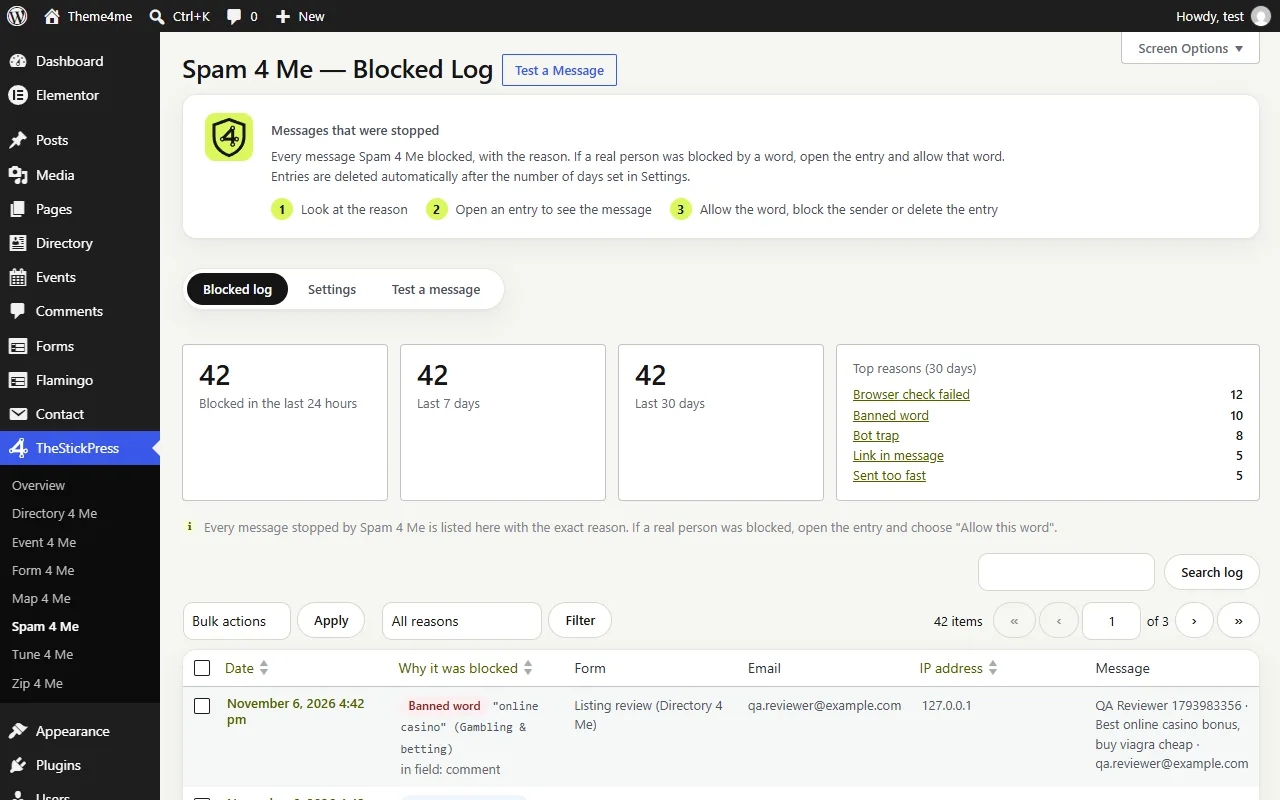
Blocked log: every stopped message with the exact reason.
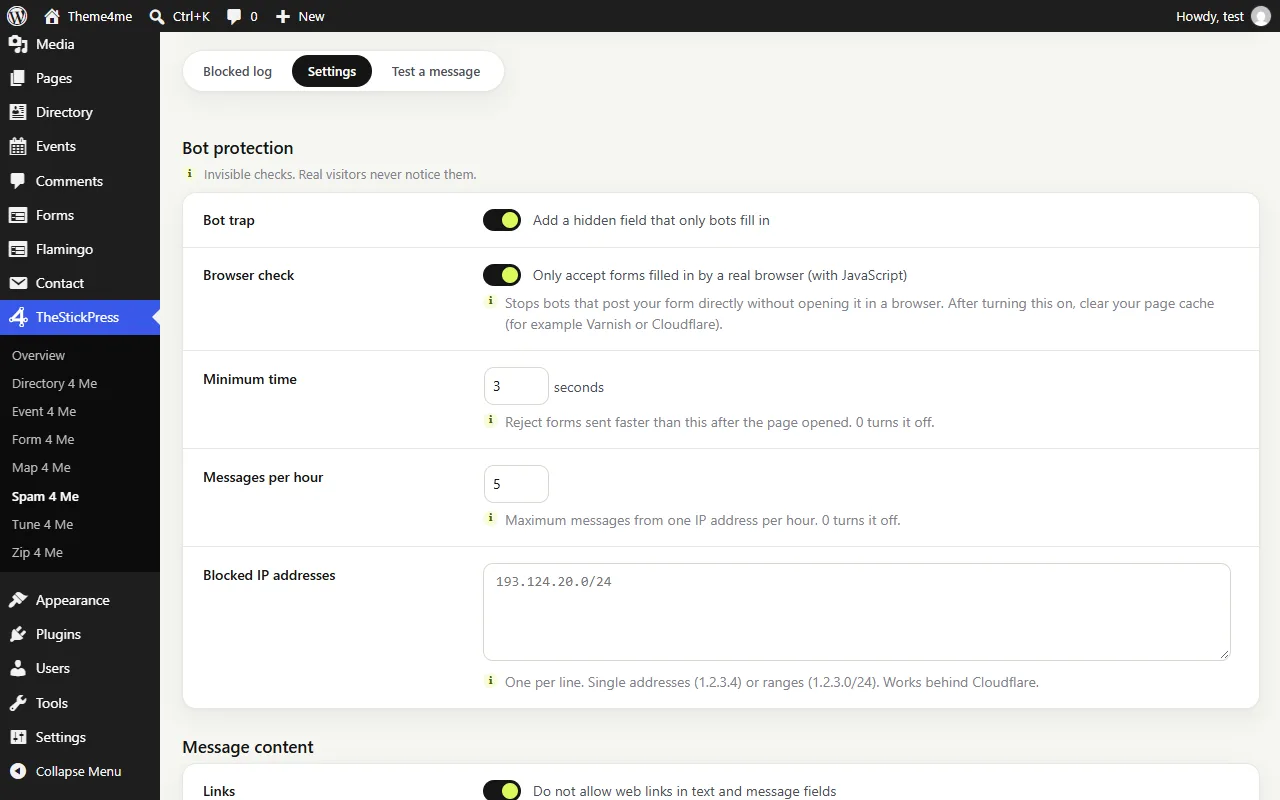
Settings: each line explains what it stops.
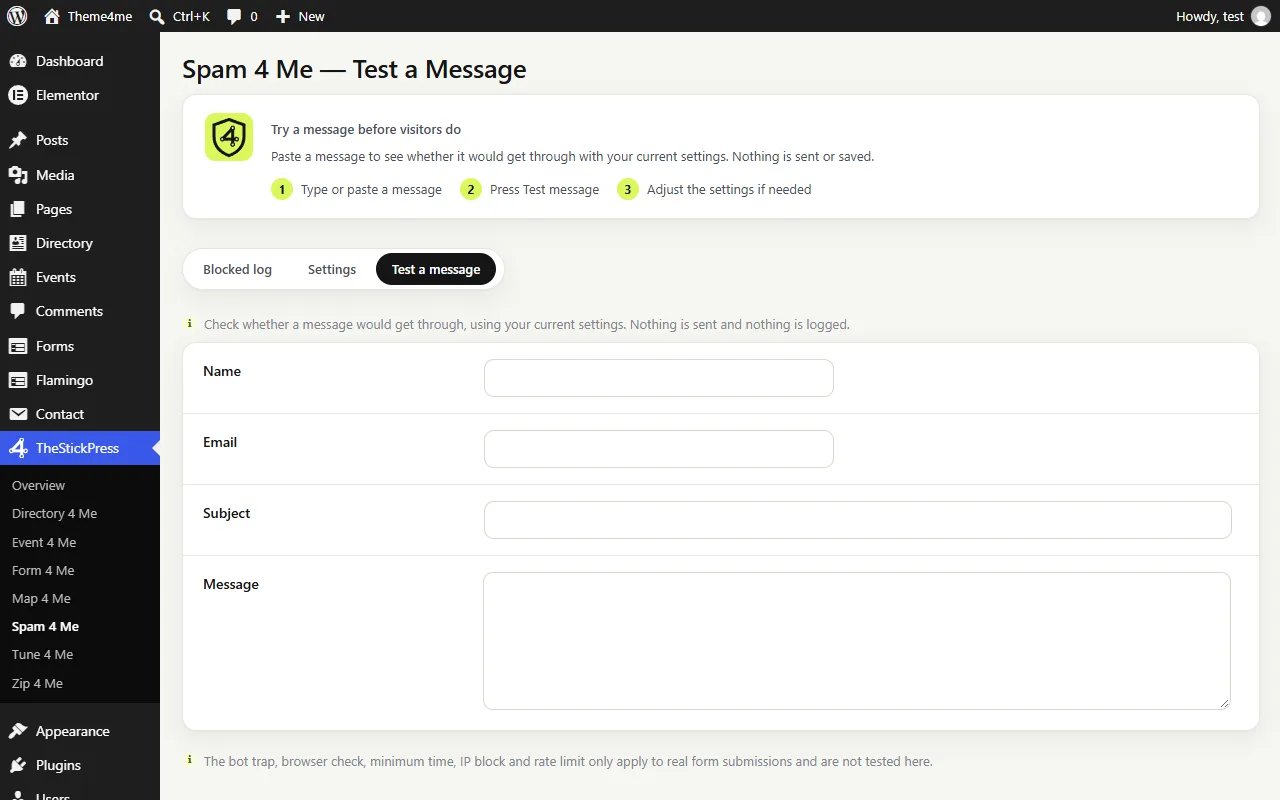
Test a message before visitors do.
Features
Key Features of Spam 4 Me
Zero CAPTCHA, Runs entirely on your own server
All checks execute on your server in milliseconds. No third-party scripts, no cookie banners, and no puzzles for visitors.
Smart Obfuscation & Whole-Word Engine
Catches spaced or leetspeak tricks ("s 3 x", hyphenated spam domains) while never false-flagging legitimate words like "Sussex" or "Scunthorpe".
Transparent Blocked Log
Inspect every stopped message with the exact reason it was blocked, search/filter entries, block an IP range, or allowlist a word in one click.
Interactive Message Tester
Test sample messages, emails, and links in the admin sandbox to verify which rules match before visitors submit.
Backscatter Autoreply Lock
Locks the autoreply email subject (including CC/BCC headers) so spammers can never abuse your mail server to relay spam.
Works Across 6 Form Builders
Automatically protects whichever supported form plugins are active on your site with unified rules and logging.
How to Install Spam 4 Me
- Click Download spam4me.zip (71.1 KB) above to save the release archive.
- In your WordPress admin dashboard, open Plugins > Add New > Upload Plugin.
- Select
spam4me.zip, click Install Now, and Activate. - Open TheStickPress > Spam 4 Me in the admin menu to configure settings.
Changelog
- 2.4.0: Refreshed admin dashboard design, intro step cards, and unsaved changes bar.
- 2.2.0: Added full support for WPForms, Gravity Forms, Ninja Forms, and Fluent Forms alongside Form 4 Me and Contact Form 7.
- 2.0.0: Added bot trap, browser verification, minimum typing time, rate limiting, and Blocked Log.
Updates
Keep Spam 4 Me up to date
Update in four steps
- Download the latest ZIP from this page. The current version is 2.4.0.
- In WordPress open Plugins > Add New > Upload Plugin.
- Choose the ZIP and click Install Now.
- Choose "Replace current with uploaded". Your settings and content are kept.
What changed?
The changelog above lists every release. Back up before major updates, and test on a copy of your site if it is busy.
- Zip 4 Me makes a one click backup first
- Automatic updates are planned
Support
Request support for Spam 4 Me
Tell us what you need and we will reply as soon as possible.
Works well with
Pair it with
FAQ
Frequently Asked Questions
What if a legitimate visitor message is blocked by a keyword?
Open TheStickPress > Spam 4 Me > Blocked Log, click the entry, and click "Allow this word" to whitelist it immediately.
Does Spam 4 Me send form data to an external cloud API?
No. 100% of checks run locally on your WordPress server for complete GDPR privacy and zero latency.