Form 4 Me v0.1.0 beta
Form 4 Me lets you build forms just like a WordPress page: drag 17 field blocks into place, type labels inline, add headings or payment QR codes anywhere, track entries and payment slips in the dashboard, and export to CSV.
- 17 native block-editor field types including Phone with country code, File upload, and Content picker
- 4 instant layouts (Simple, Two Columns, Card, Compact) + full block spacing & color controls
- Paid forms with fixed price or dynamic listing/event price, QR instructions, and payment slip status
- Private, access-controlled file uploads (wp-content/uploads/form4me-private/) & CSV entry export
- Built-in honeypot, signed timestamp, and rate limiting + seamless Spam 4 Me integration
Screenshots
See Form 4 Me in action
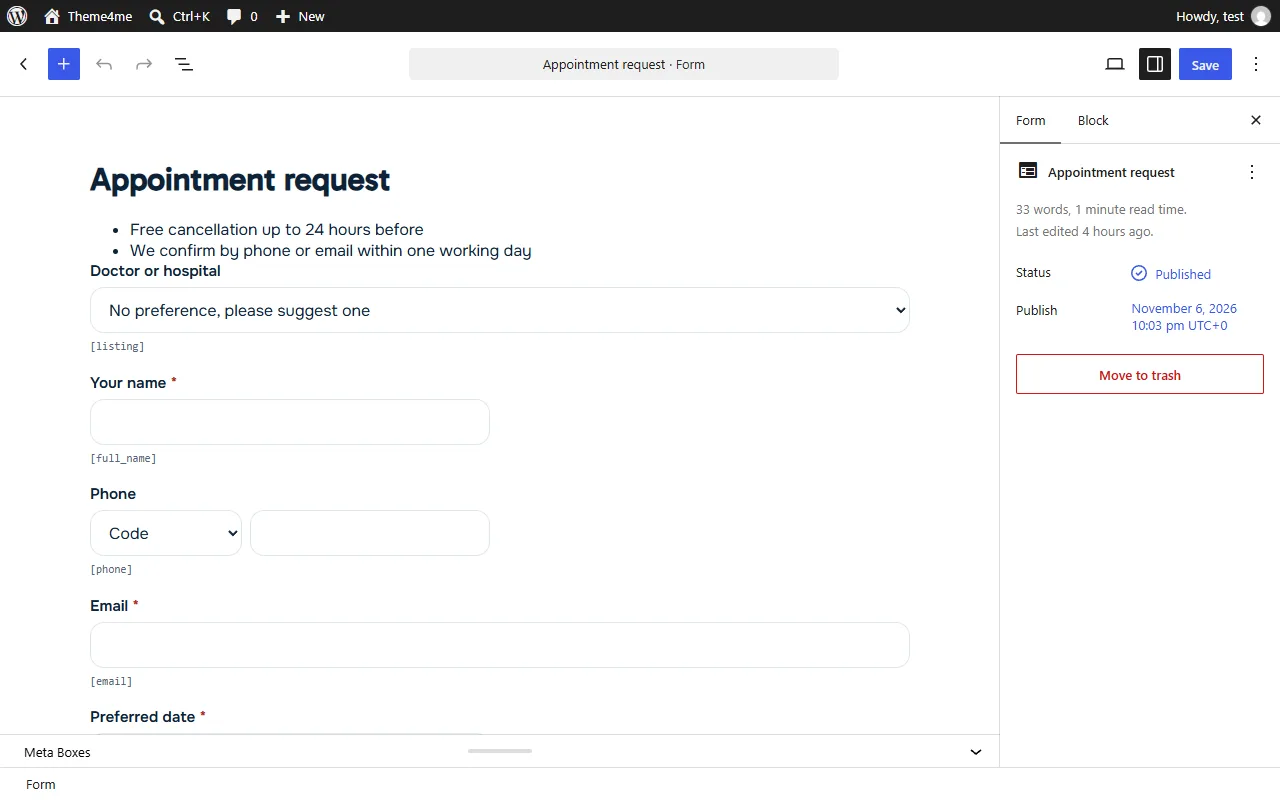
Build a form in the block editor: drag fields in and type labels right on them.
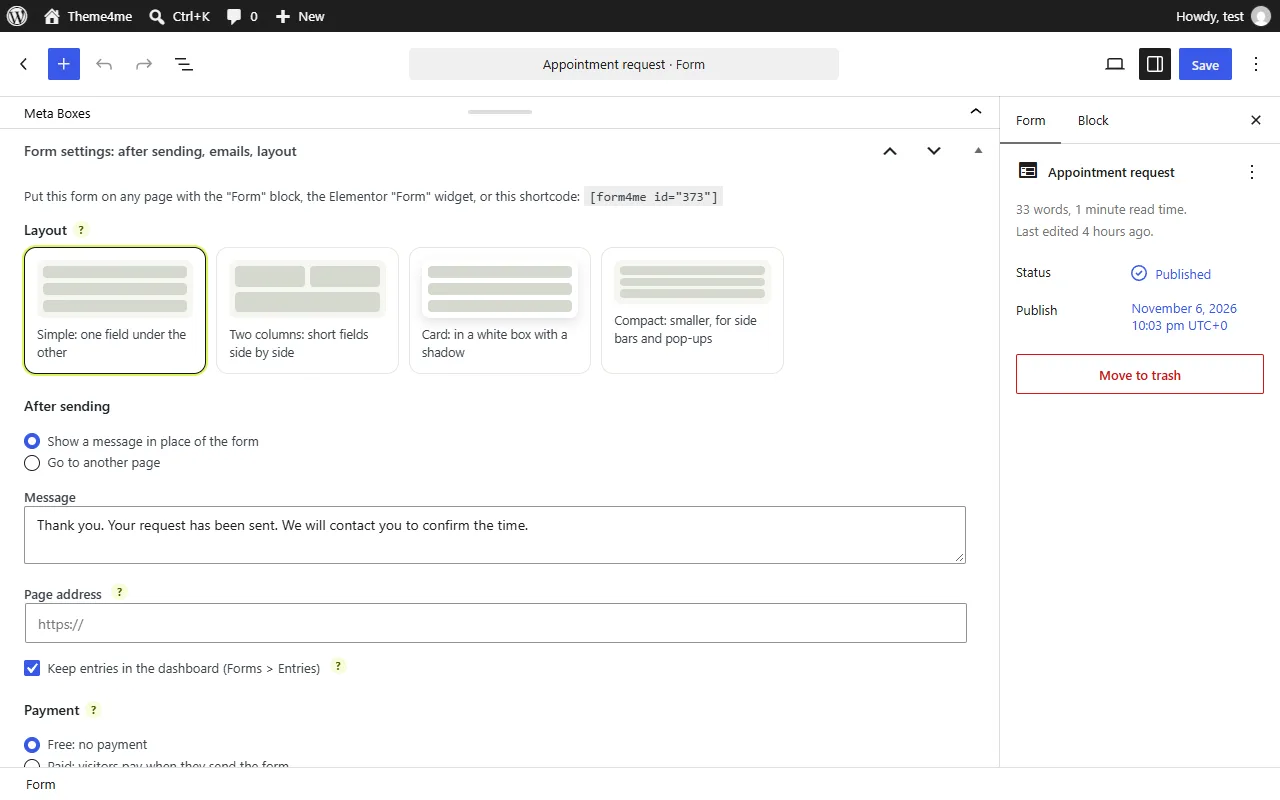
Below the form: layout, what happens after sending, payment, where it is used and emails.
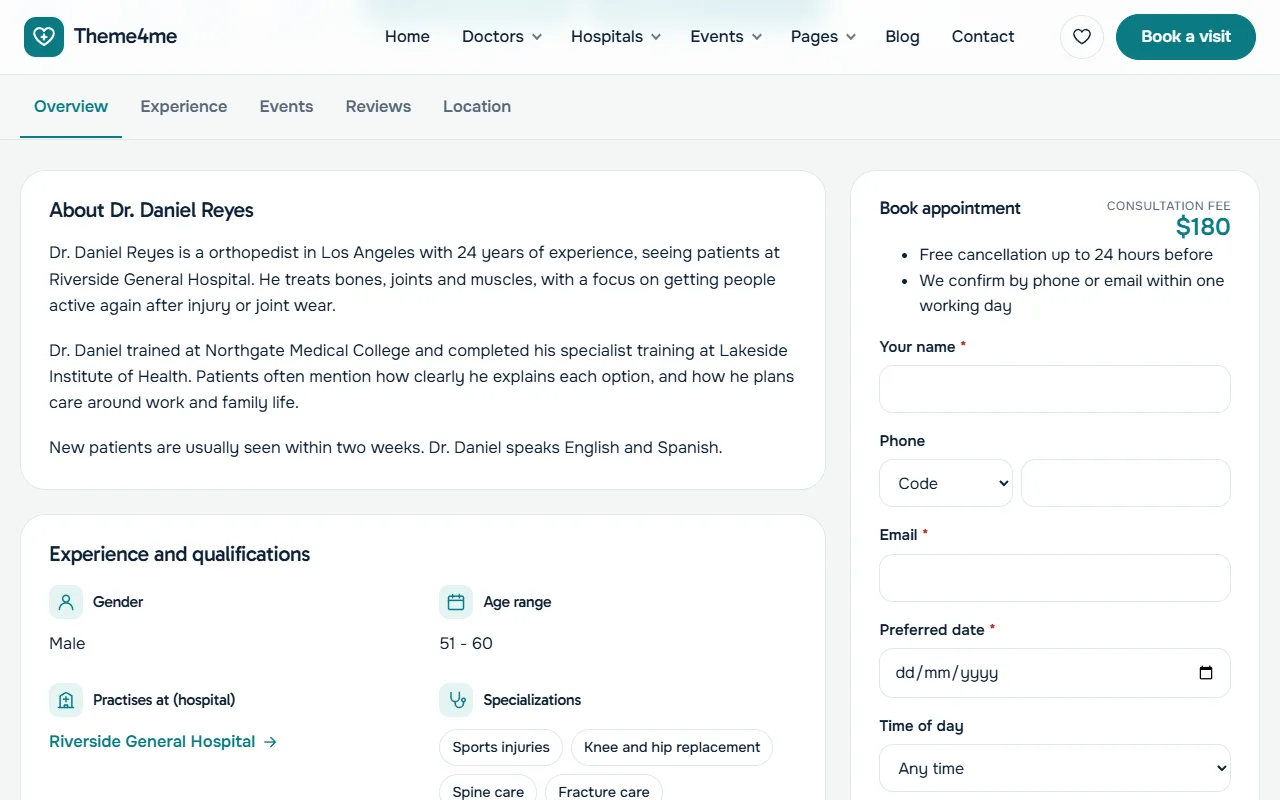
The form on a listing page, with the listing filled in for the visitor.
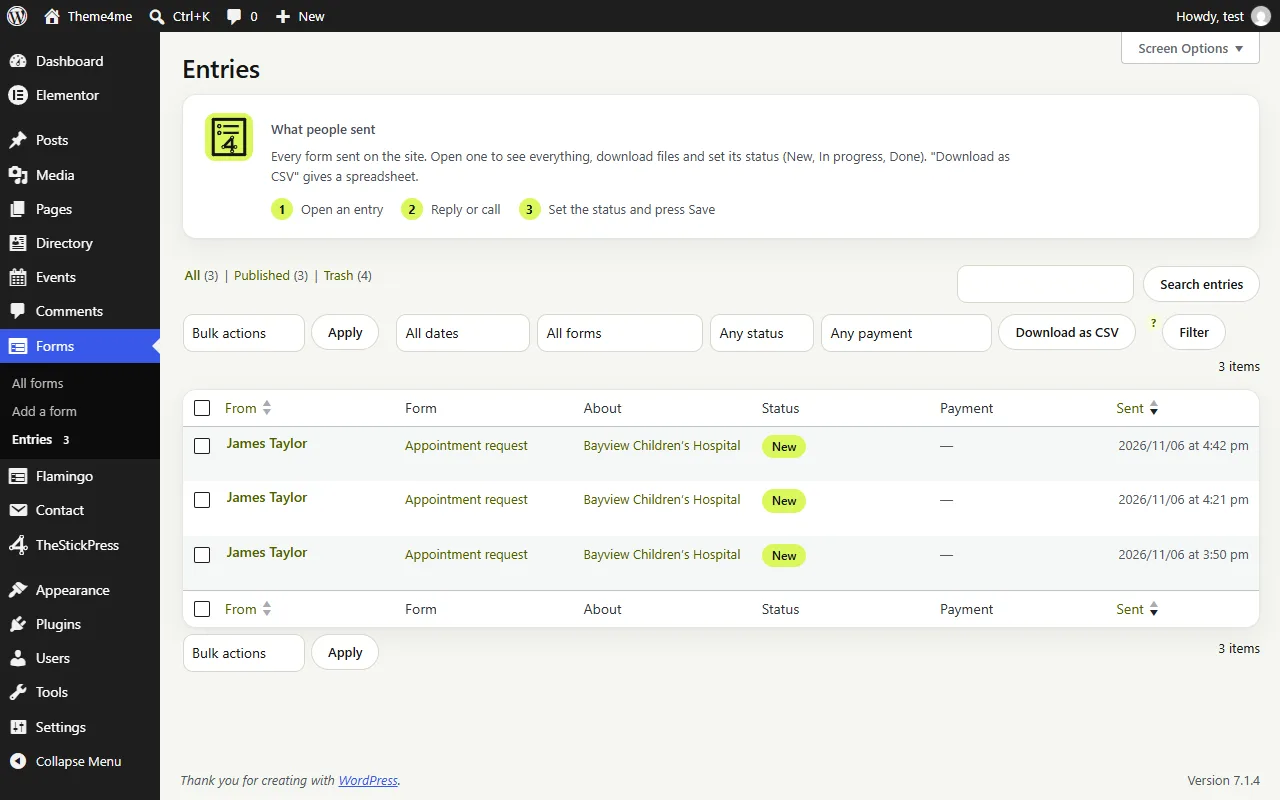
Entries with status and payment status, filters and CSV export.
Features
Key Features of Form 4 Me
True Block-Editor Form Builder
No clunky proprietary popups. Build forms natively in Gutenberg with inline label editing, columns, groups, and rich content blocks.
17 Specialized Field Types
Full name, Email, Phone with country dial codes, Address, Dropdown, Radio, Checkboxes, Consent, Date (with future-only rule), Time, File, and Post picker.
Paid Forms & Payment Slip Workflow
Collect fixed amounts or inherit prices from Directory 4 Me / Event 4 Me. Display QR payment instructions and track Unpaid, Slip Received, Paid, or Refunded status.
Private File Storage
Uploaded attachments are stored under randomized names in a protected private directory, downloadable only by authenticated staff.
Dashboard Entries & CSV Export
Every submission is stored in Forms > Entries with status filters, staff notes, payment tracking, and one-click CSV export.
Block, Shortcode & Elementor Widget
Embed any form via the Gutenberg Form block, the Elementor Form 4 Me widget, or .
How to Install Form 4 Me
- Click Download form4me.zip (76.5 KB) above to save the release archive.
- In your WordPress admin dashboard, open Plugins > Add New > Upload Plugin.
- Select
form4me.zip, click Install Now, and Activate. - Open TheStickPress > Form 4 Me in the admin menu to configure settings.
Changelog
- 0.1.0: Block editor form builder with 17 field types, 4 layouts, paid forms with QR/payment slip workflow, private uploads, CSV export, and Elementor widget.
Updates
Keep Form 4 Me up to date
Update in four steps
- Download the latest ZIP from this page. The current version is 0.1.0.
- In WordPress open Plugins > Add New > Upload Plugin.
- Choose the ZIP and click Install Now.
- Choose "Replace current with uploaded". Your settings and content are kept.
What changed?
The changelog above lists every release. Back up before major updates, and test on a copy of your site if it is busy.
- Zip 4 Me makes a one click backup first
- Automatic updates are planned
Support
Request support for Form 4 Me
Tell us what you need and we will reply as soon as possible.
Works well with
Pair it with
Spam 4 Me
Spam protection without CAPTCHAs.
Directory 4 Me
Listings, reviews and booking buttons.
Event 4 Me
Calendar, sessions and registration.
FAQ
Frequently Asked Questions
Where are uploaded files stored and are they secure?
Files are stored in wp-content/uploads/form4me-private/ with randomized filenames and server deny rules. Only logged-in administrators/editors can download them.
Does Form 4 Me require CAPTCHA keys?
No. It uses a hidden bot trap, cryptographically signed timestamps, and hourly/daily rate limits, plus full Spam 4 Me inspection when active.