Directory 4 Me v1.3.0
Directory 4 Me turns WordPress into a fast directory for any industry. Nothing is hardcoded: rename or create custom listing types, attach custom fields per type, enable star ratings and opening hours, and connect listings directly to Form 4 Me, Map 4 Me, and Event 4 Me.
- Custom listing types (Places & People starter sets) & per-type custom fields
- Instant archive search, category/location filters, sorting, grid & list views
- Verified star ratings, opening hours, saved listings (heart icon), and share links
- Per-type or per-listing booking/enquiry button powered by Form 4 Me or custom URL
- 7 shortcodes with visual generator + native Elementor "Listing part" widgets
Screenshots
See Directory 4 Me in action
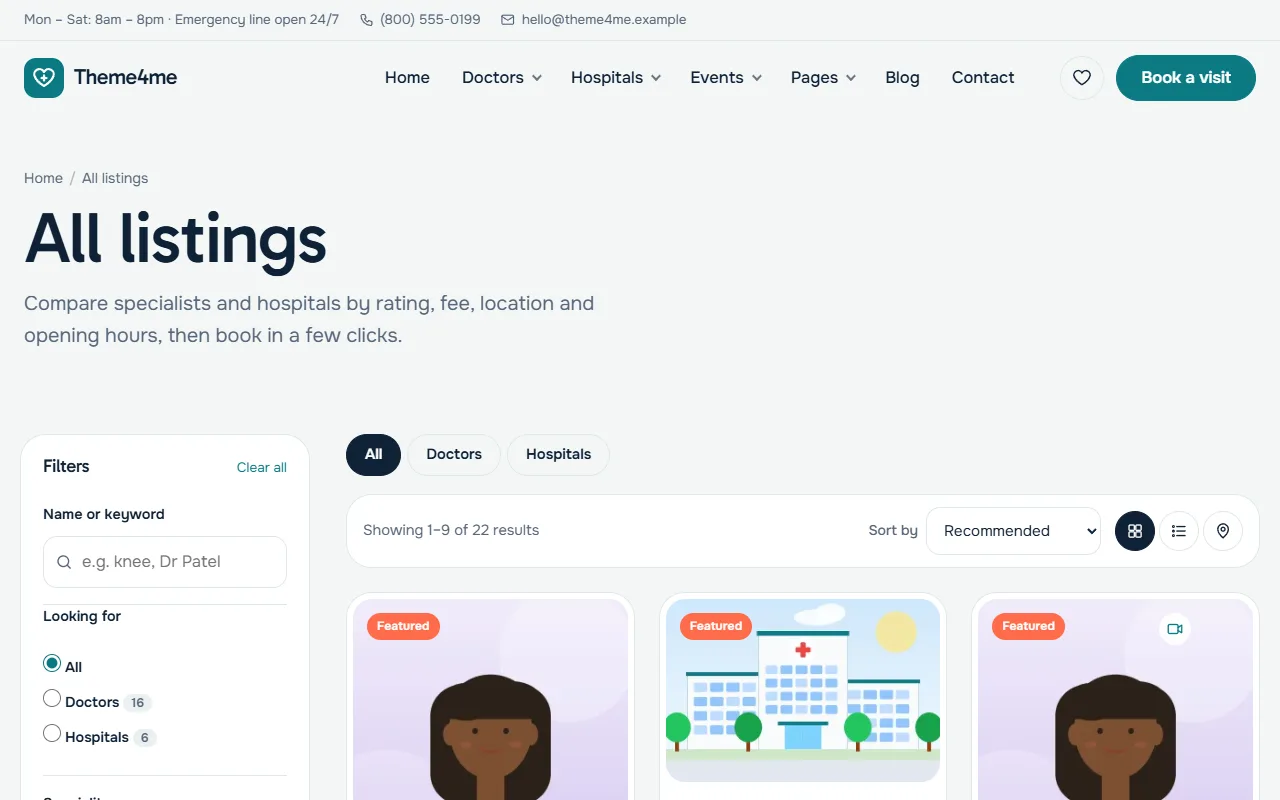
Listings with search, filters, ratings, prices and a booking button.
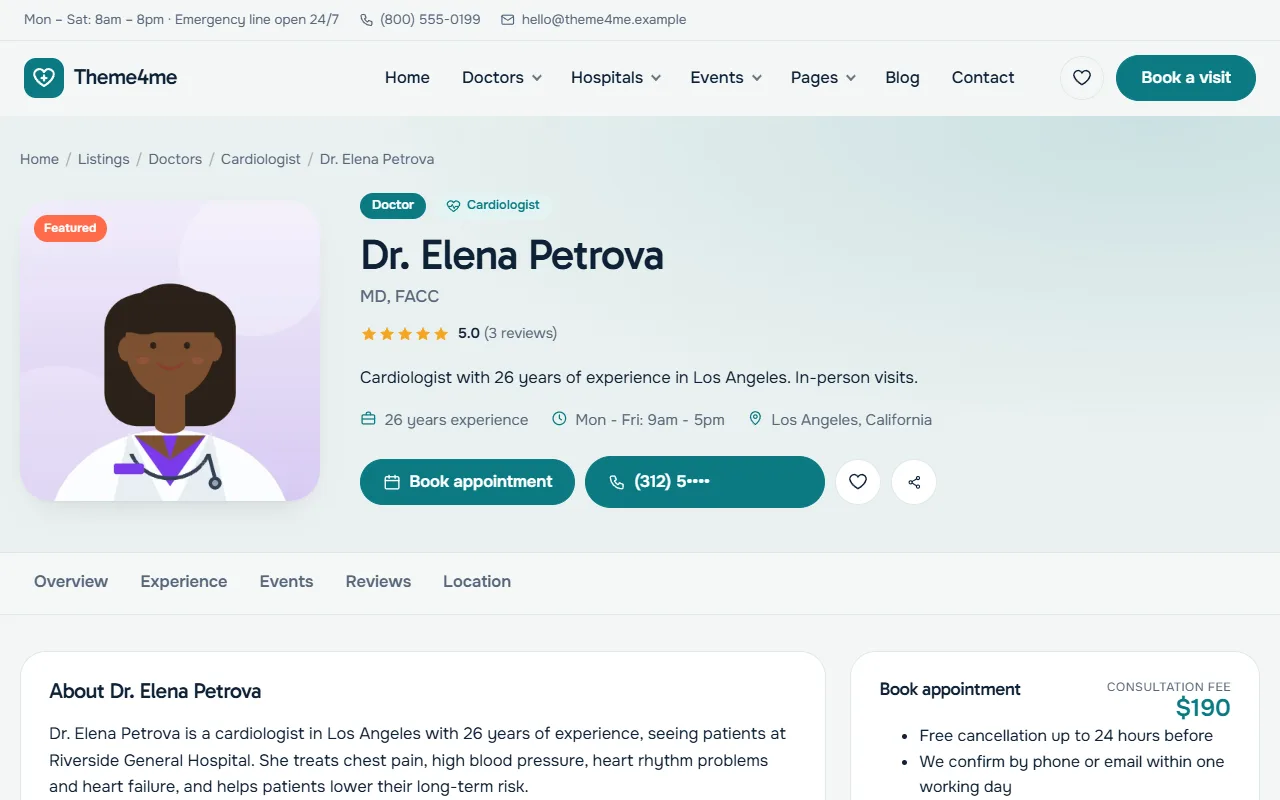
A listing page with the profile, details and the booking form beside it.
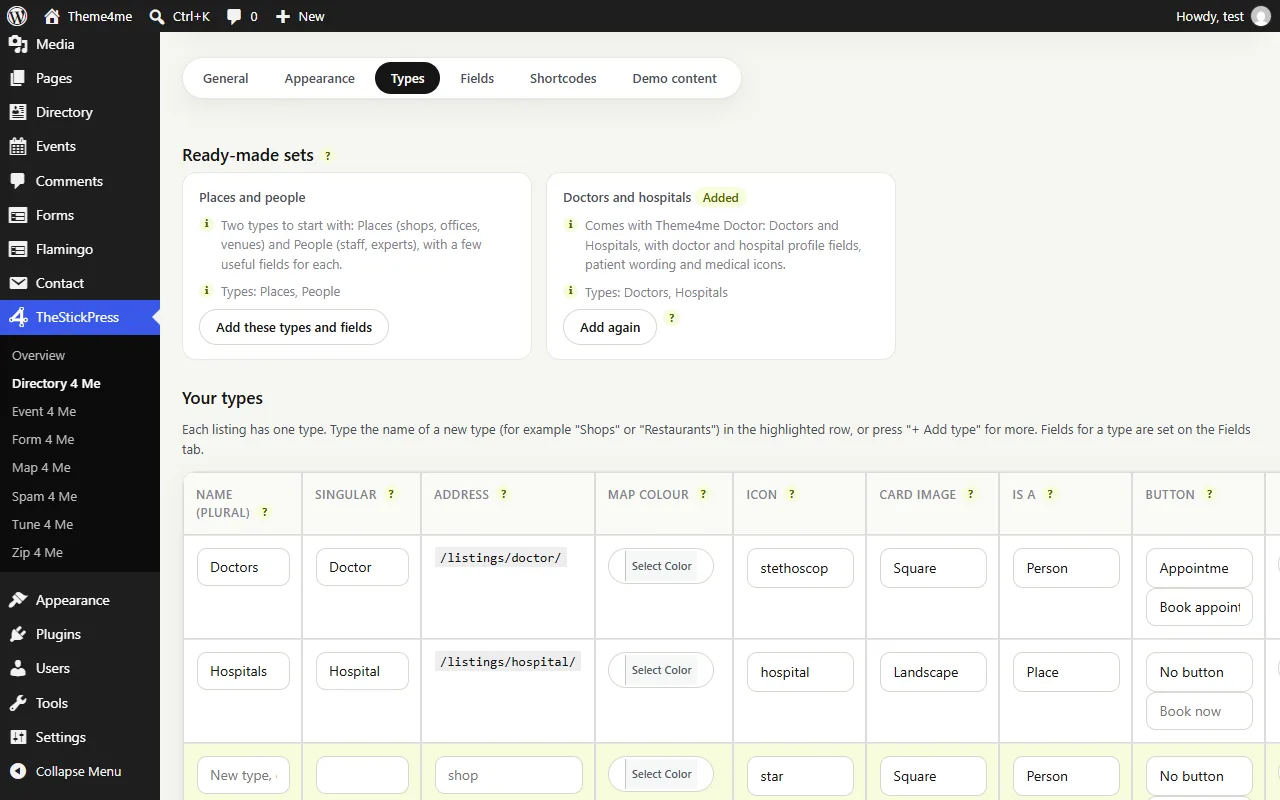
Types: start from a ready made set or make your own, and rename or remove any type.
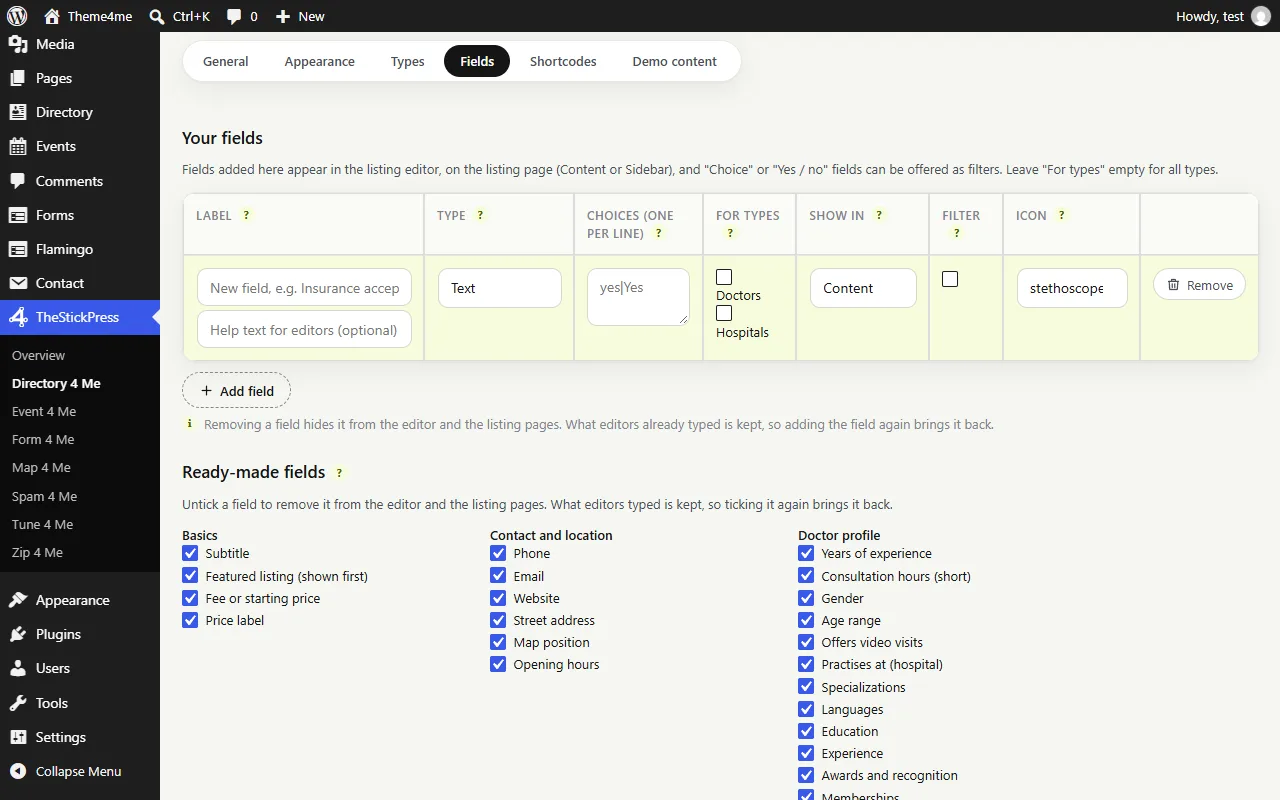
Fields: add the details each listing can have, with an explanation on every column.
Features
Key Features of Directory 4 Me
Flexible Types & Custom Fields
Define any listing type (clinics, doctors, restaurants, agencies) with its own custom fields, icons, and Person/Place relationship.
Reviews, Ratings & Opening Hours
Built-in star rating reviews, structured opening hours per weekday, photo galleries, and visitor-saved favorites.
Form 4 Me Booking Integration
Attach any Form 4 Me booking or enquiry form to a listing type or individual listing, automatically pre-filling the listing context.
Free Elementor Template Builder
Design custom single listing pages and archives using the free Elementor plugin with dedicated "Listing part" widgets.
Map 4 Me & Event 4 Me Connected
Listings appear automatically on Map 4 Me clustered maps and link directly to Event 4 Me events hosted at or featuring that listing.
Transient-Cached & One-Click Demo
Queries are cached in transients refreshed only when a listing changes. Includes one-click demo import and WP-CLI (wp d4m demo).
How to Install Directory 4 Me
- Click Download directory4me.zip (167 KB) above to save the release archive.
- In your WordPress admin dashboard, open Plugins > Add New > Upload Plugin.
- Select
directory4me.zip, click Install Now, and Activate. - Open TheStickPress > Directory 4 Me in the admin menu to configure settings.
Changelog
- 1.3.0: Refreshed admin dashboard design, unsaved changes bar, modular starter sets, and Form 4 Me booking integration.
- 1.1.0: Shared TheStickPress admin hub and free Elementor "Listing part" widgets.
- 1.0.0: Initial public release.
Updates
Keep Directory 4 Me up to date
Update in four steps
- Download the latest ZIP from this page. The current version is 1.3.0.
- In WordPress open Plugins > Add New > Upload Plugin.
- Choose the ZIP and click Install Now.
- Choose "Replace current with uploaded". Your settings and content are kept.
What changed?
The changelog above lists every release. Back up before major updates, and test on a copy of your site if it is busy.
- Zip 4 Me makes a one click backup first
- Automatic updates are planned
Support
Request support for Directory 4 Me
Tell us what you need and we will reply as soon as possible.
Works well with
Pair it with
Map 4 Me
Free maps with no API key.
Form 4 Me
Contact, booking and paid forms.
Event 4 Me
Calendar, sessions and registration.
FAQ
Frequently Asked Questions
Does Directory 4 Me require a specific theme or Elementor Pro?
No. It works with any classic or block theme and looks best with Theme 4 Me / Theme4me Doctor. Custom listing templates work with the free version of Elementor.
How do booking and enquiry forms work on listings?
Each listing type (or individual listing) can open a Form 4 Me form (free or paid) or link to an external URL.
Can I import demo listings to test the layout?
Yes. Go to TheStickPress > Directory 4 Me > Demo to import or remove demo content with one click, or restore the full Theme4me Doctor .zipme starter site with Zip 4 Me.